ou can reduce back pain by choosing and using ergonomic chairs correctly. Proper chair selection, adjustment, and posture play a crucial role in maintaining comfort and overall health. Research shows that users of well-adjusted ergonomic chairs experience less lower back pain, reduced muscle fatigue, fewer work-related injuries, and higher workplace satisfaction.
The greatest benefits come from selecting a chair with adjustable features and receiving guidance on proper use. Sihoo stands at the forefront of ergonomic innovation, committed to enhancing your comfort and productivity through advanced design and research.
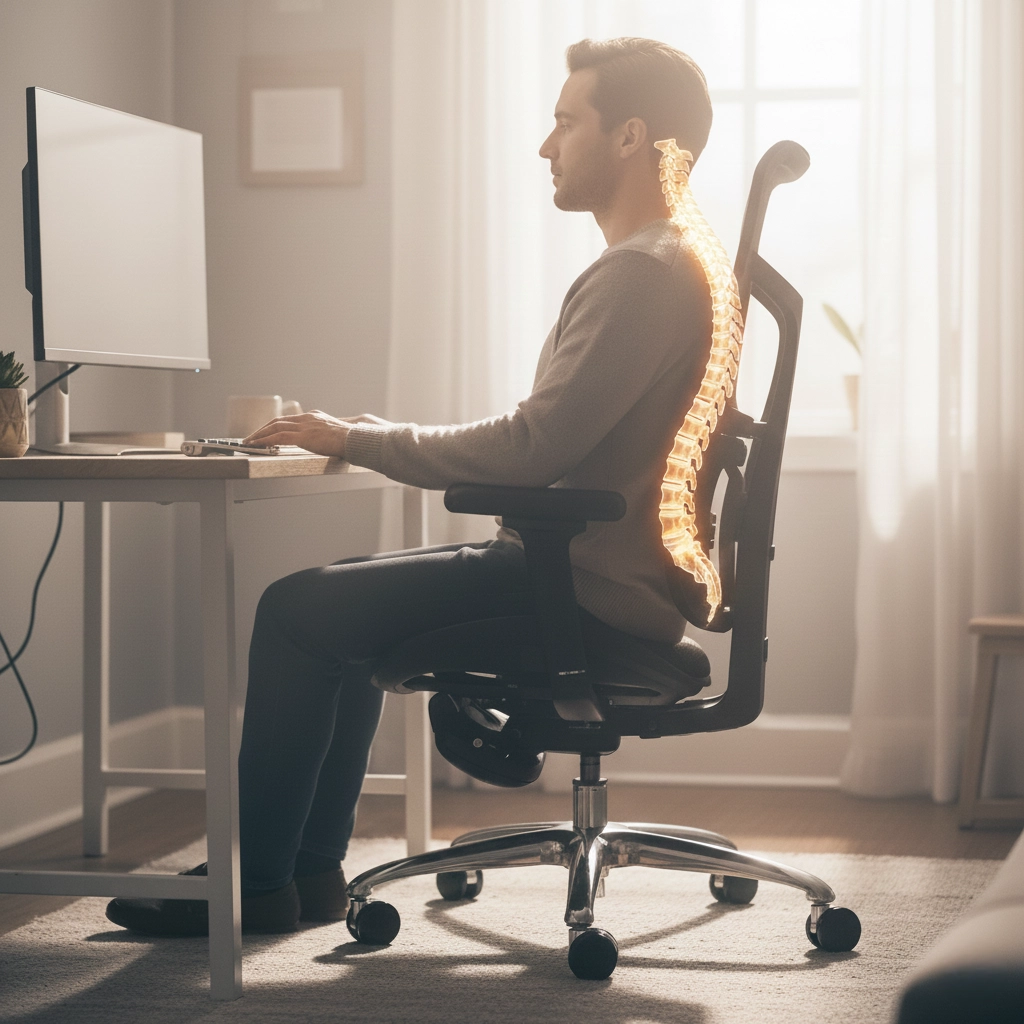
You need proper support for your spine when you spend long hours sitting. Ergonomic chairs play a crucial role in maintaining the natural curve of your lower back. These chairs help you avoid slouching and reduce strain on your spine. When you use a chair with effective lumbar support, you keep your spine in its optimal alignment. This support distributes your body weight evenly and reduces pressure on your spinal discs and nerves. You experience less discomfort and a lower risk of developing back pain.
Sihoo integrates advanced lumbar support systems into its designs. The Domino 3D lumbar support system, for example, adapts to your movements and provides continuous support. Many users report significant relief from lower back pain after switching to Sihoo ergonomic chairs. One customer shared, “After months of dealing with lower back pain, my Sihoo chair has been a lifesaver. The lumbar support is perfect and makes such a difference in how I feel after a long workday.”
You benefit most from ergonomic chairs that offer multiple adjustable features. These features allow you to personalize your seating experience and maintain healthy posture throughout the day.
Sihoo’s patented technologies set its ergonomic chairs apart. The 6D biomimetic joint armrest, for example, allows you to adjust your arm position in multiple directions. The Zero-Pressure Shock Absorbing System in the S300 model distributes your weight and minimizes pressure points. The smart weight-sensing mechanism in the C300 adapts to your body, providing tailored support. These innovations result from years of research and collaboration with ergonomic experts.
You should always look for ergonomic chairs with adjustable seat height and depth. These features help you avoid poor posture and improve circulation. When you can adjust your chair to fit your body, you reduce the risk of discomfort and long-term health issues.
Take a moment to adjust your chair every time you sit down. Small changes can make a big difference in your comfort and spinal health.
Selecting the right chair starts with understanding your body type, work style, and workspace. You should look for a chair that fits your body comfortably and supports healthy posture. Consider these criteria when choosing a Sihoo ergonomic chair:
Your work style and environment also influence your choice. If you work remotely, customization can boost your health and productivity. In a busy office, adjustable features help you stay comfortable and focused. For teamwork or creative spaces, ergonomic chairs that promote movement and flexibility can enhance collaboration and concentration.
The Sihoo lineup offers models tailored to different needs:
| Model | Adjustable Features |
|---|---|
| C300 | Floating backrest, ergonomic recline, 6D armrests |
| S300 | 6D floating-wing lumbar support, zero-pressure cushion, aviation-grade weight sensing |
| V1 | Seat depth, lumbar support, backrest height, 4D armrests, adjustable headrest |
| X5 | Supportive headrest, plush cushioning, 3-zone elastic backrest |
You gain the most benefit when you personalize your chair. Sihoo’s adjustable features allow you to tailor support for your body and work habits. Adjustability ensures a tailored fit, which increases comfort and productivity. Breathable mesh materials keep you cool during long hours. Dynamic support adapts to your movements, preventing fatigue.
Follow these steps for optimal setup:
Take a few minutes to fine-tune your chair settings each day. Small adjustments can make a big difference in your comfort and long-term health.
Ergonomic chairs with customizable settings help you maintain correct posture and reduce the risk of strain injuries. You protect your well-being and support your productivity by choosing the right chair and adjusting it to your needs.

You maximize the benefits of ergonomic chairs by practicing good posture every day. Health professionals recommend that you keep your spine in a neutral position. Place your feet flat on the floor and keep your thighs parallel to the ground. Your knees should form a 90-degree angle. Support your lower back to maintain its natural curve. Keep your wrists straight and supported. Hold your upper arms close to your torso and bend your elbows at about 90 degrees. These habits help you avoid muscle strain and support your overall well-being.
Adjust your chair and workstation each morning. Small changes in your setup can make a big difference in your comfort and productivity.
Even with the best ergonomic chairs, you need to move regularly. Sitting for long periods can lead to health problems such as muscle fatigue, poor circulation, and even serious conditions like heart disease or diabetes. You may also experience exhaustion, decreased job satisfaction, and discomfort in your shoulders or lower back.
To protect your health, follow these simple guidelines:
Regular movement boosts your energy, improves focus, and helps prevent long-term health risks.
By combining proper posture with frequent movement, you create a healthier and more productive work environment. Make these habits part of your daily routine to get the most from your ergonomic chair.
Many users make simple mistakes when setting up their ergonomic chairs. You might prioritize price over quality, choose style over substance, or ignore essential adjustments. These errors can lead to discomfort and persistent back pain. Here are frequent setup mistakes you should watch out for:
Improper adjustment of your chair forces lower back muscles to work harder. This strain leads to slouching and increased stress on your lumbar region. Over time, you may experience muscle imbalances and persistent aching. An ergonomic chair only works if it fits your body correctly.
One of the main reasons your office chair hurts your back is poor adjustment. Make sure your chair supports your spine and fits your body.
Sihoo chairs offer advanced adjustability. You can set the seat height so your feet rest flat and your knees form a 90-degree angle. The lumbar support fits snugly against your lower back. The headrest supports your neck without pushing it forward. Adjustable seat depth supports your thighs without pressure on the back of your knees. Armrests allow your elbows to remain close to your body at a 90-degree angle.
Even with a well-adjusted chair, poor habits can undermine your comfort. Static sitting reduces blood circulation and causes fatigue. You may develop back and neck pain from improper posture. Prolonged sitting compresses your intestinal organs, leading to digestive problems.
To avoid these issues, maintain good posture by keeping your back straight and shoulders relaxed. Take breaks and change positions regularly. Sihoo chairs with leg rests can improve circulation. Adjust your chair daily to match your needs and support healthy habits.
Small adjustments and regular movement help you stay comfortable and protect your health.
You can prevent back pain by setting up your Sihoo ergonomic chair correctly. A well-adjusted chair supports your body and encourages healthy posture throughout the day. Follow this checklist each time you sit down:
Take a moment to review these settings every morning. Small adjustments can make a big difference in your comfort and productivity.
Many users experience significant relief after switching to ergonomic chairs. The following study highlights the impact:
| Study | Findings | Pain Reduction Percentage |
|---|---|---|
| Office Ergonomics Study | Switch to ergonomic chairs | 30% |
You can further reduce your risk by combining proper chair setup with healthy habits. Experts recommend core stability exercises, ergonomic tools, and regular movement breaks. The table below summarizes key strategies:
| Recommendation | Description |
|---|---|
| Core Stability Exercises | Incorporate planks and yoga to support your spine. |
| Ergonomic Tools | Use supportive chairs, footrests, or standing desk converters. |
| Regular Evaluations | Assess your workstation for ergonomic risks. |
| Employee Training | Learn about posture and workstation setup. |
| Flexible Workstations | Alternate between sitting and standing with adjustable desks. |
| Movement Culture | Move and stretch regularly during your workday. |
You should listen to your body. If you notice any of the following signs, consult a healthcare professional:
Early intervention can prevent more serious health issues. Do not ignore persistent or severe symptoms.
By adjusting your chair properly and staying alert to your body’s signals, you can protect your back and maintain long-term comfort.
You can protect your back and boost your productivity by choosing a well-designed ergonomic chair. Sihoo models offer dynamic lumbar support, high adjustability, and breathable materials, making them a smart investment for your health. Over time, you save on costly treatments by preventing chronic pain and supporting proper spinal alignment.
Adjust your chair settings regularly and follow healthy habits to maximize comfort.
| Workplace Back Health | Key Findings |
|---|---|
| Prevalence | Back pain is the second most common diagnosis at work. |
| Prevention | Most employees value back training and ergonomic support. |
Take action today. Prioritize your back health and consider Sihoo for ergonomic solutions that help you sit well and think better.